
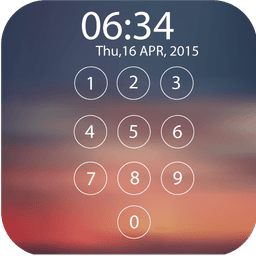
Screenshots
About Lock screen
Protect your privacy with a lock screen password that actually works. Lock screen by Green Banana Studio is a robust mobile security app designed to safeguard your device from unauthorized access, even when calls come in or system buttons are pressed.
Unlike standard lock screen alternatives, this app maintains full control over your device's core functions. The HOME, BACK, and RECENT buttons remain locked and inactive until you authenticate with your chosen password. This means callers won't trigger automatic screen unlocks, and no one can slip past your security through system shortcuts.
Customize your lock screen experience with a diverse gallery of beautifully designed wallpapers. Choose from the curated collection of exquisite backgrounds, or upload a personal image—a photo of someone you love, a cherished memory, or anything that brings you joy. Every unlock becomes a moment of personalization that reflects what matters to you.
The setup is straightforward: select your preferred wallpaper, set a secure password, and your device is protected. No complicated menus or confusing settings—just intuitive, effective security that works the moment you activate it.
Whether you're concerned about workplace privacy, family device safety, or simply want complete control over who accesses your phone, this Lock screen solution delivers comprehensive protection without sacrificing ease of use. Download today and experience security that prioritizes both your peace of mind and your device's accessibility.
Pros & Cons
Pros
- Locks hardware buttons (HOME, BACK, RECENT) to prevent bypass attempts
- Supports custom wallpapers and personal image uploads for personalization
- Straightforward setup with no complex menus or configuration required
- Protects against accidental unlocks from incoming calls or button presses
Cons
- Acts as a device overlay that may conflict with system functions or apps
- Replaces your standard lock screen, limiting Android's built-in security features
- No mention of encryption or advanced protection—relies solely on password barriers
- Could trap you out of your phone if you forget the password
Related Apps

AlienGUIse
Desktop themes and manager for Windows — transform your system with 5 futuristic designs.

SharpKeys
Remap keyboard keys to launch apps, media controls, and custom commands on Windows.

RocketDock
Desktop launcher for Windows — quick access dock with customizable icons and positioning.

Custom Resolution Utility (CRU)
Display resolution utility: Create custom resolutions for your monitor with precise refresh rate control.

Lagguy Wallpapers
Lagguy
4K & HD wallpapers for Android — minimal, abstract, nature, AMOLED designs with lifetime access

Lock Screen OS
Apps Genz
Customize your lock screen with widgets, photos, and notifications. Replace Android's default lock screen.
Latest Articles

Play a free Color Ball Sort Puzzle-style game in your browser (no download)
Oct 6, 2026

Play a free Beach Buggy Racing-style kart racer in your browser (no download)
Oct 6, 2026

Play a free Alto's Adventure-style game in your browser (no download)
Oct 6, 2026

Free online whiteboard like Jamboard: use Quickboard in your browser, no signup
Oct 6, 2026

Free online running pace calculator: splits, race predictor and daily challenge, no download
Oct 6, 2026